MC Server Manager
A downloadable tool for Windows
MC Server Manager 3 is a lightweight, native C# .NET desktop application designed to effortlessly manage, monitor, and run local Minecraft servers on Windows without the bloat of web panels or Java wrappers. Ideal for gamers who want to host their own Minecraft server easily.
GitHub
Key features:
- Instant server setup: Set up your new Minecraft PaperMC server quickly using the new server wizard.
- Backup server tool: Back up your server/world using one button in the tool menu.
- Lightweight: MCSM3 is lightweight and uses minimal resources.
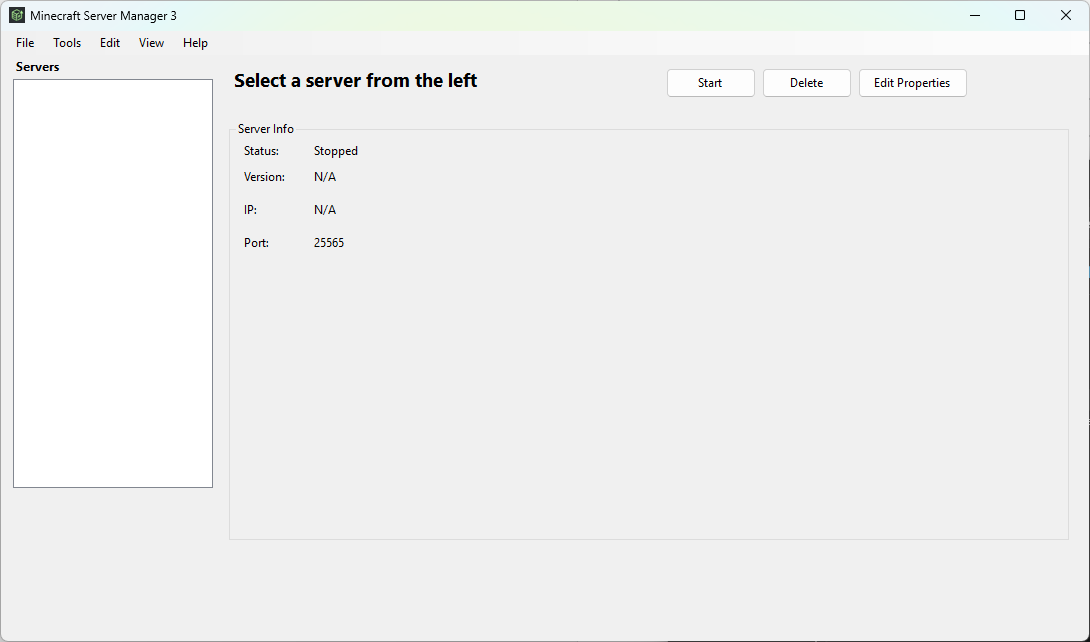
- UI: Edit server properties, RAM allocation, and more using simple UI menus.
- Free: MCSM3 is a free open-source application.
- Safeguards: Contains safeguards to prevent duplicate instances, etc...
- Active Development: Continuously updated with new features, improvements, and community-requested tools.
How to use:
- Create a Server: Click New > New Server. A wizard will pop up where you can select your Minecraft version, allocate RAM, and set up the server automatically.
- Configure Settings: Click Edit Properties to customize your server settings and configurations directly from the UI.
- Use Built-in Tools: Open the Tools menu to access extra features like router/port setup, one-click server backups, plugin management, and more.
Download
Install instructions
- Create a Server: Click File > New > New Server. A wizard will pop up where you can select your Minecraft version, allocate RAM, and set up the server automatically.
- Configure Settings: Click Edit Properties to customize your server settings and configurations directly from the UI.
- Use Built-in Tools: Open the Tools menu to access extra features like router/port setup, one-click server backups, plugin management, and more.